Reports and exports
Download a single PDF report for a period, or generate a full accountant package with receipts, a workbook, and Z reports.
Reports is where you download dated, fixed records of the business — the kind you hand to an accountant or keep for your own files, rather than the live view in Analytics.
Download an individual PDF report
- Open Reports from Growth in the sidebar.
- Under Individual PDF reports, pick a report from one of the categories — Revenue, Sales, Customers, Accounting, or Operations.
- Set the From and To dates in the Download PDF card.
- Click Download PDF.
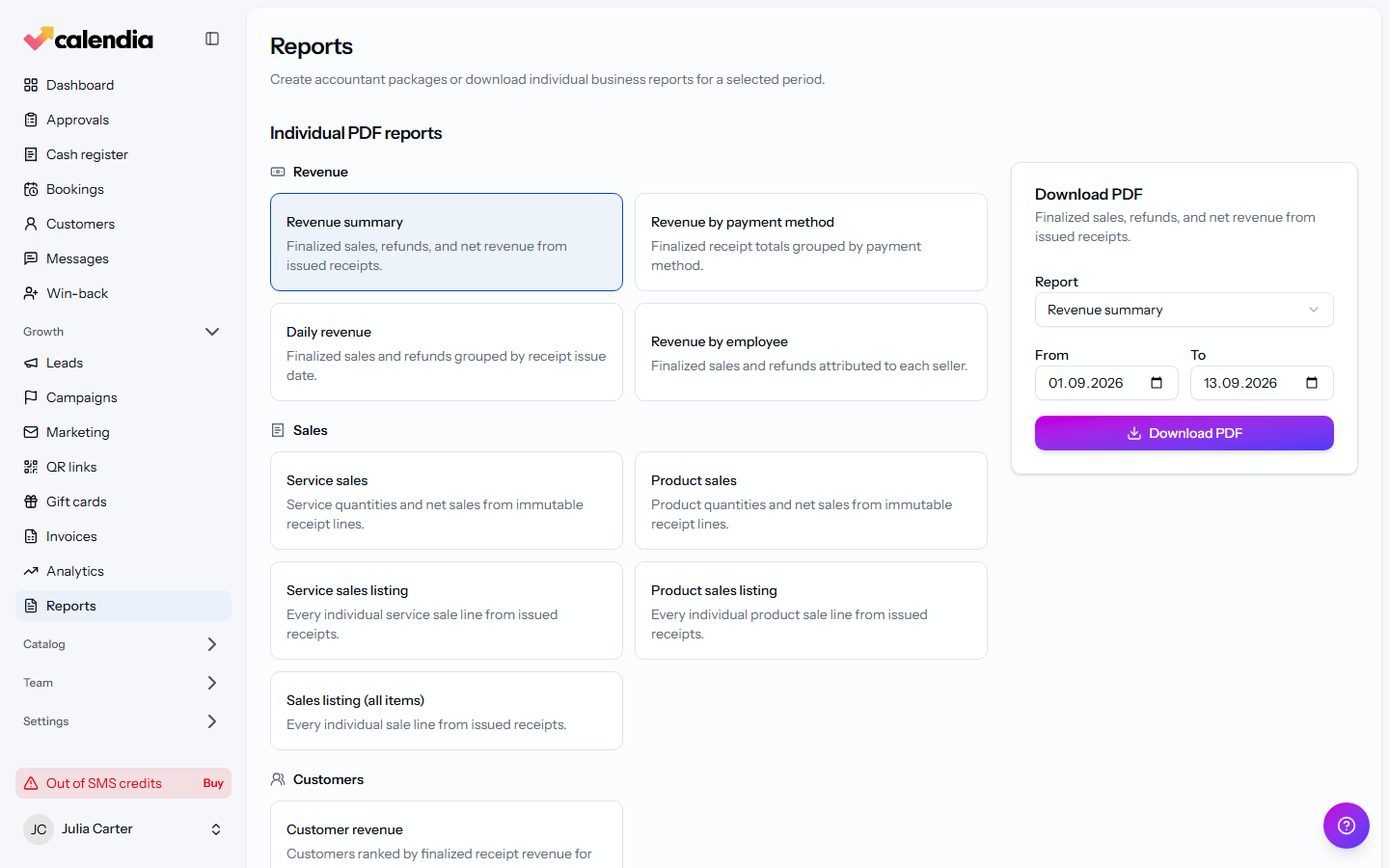
The catalogue covers, among others:
- Revenue: revenue summary, revenue by payment method, daily revenue, revenue by employee.
- Sales: service and product sales totals, plus line-by-line sales listings.
- Customers: customer revenue, ranked for the period.
- Accounting: VAT summary (ready for your VAT return), unpaid appointments, and the Z-report bundle — every Z report in the period, one per page.
- Operations: the appointment register, absence register, and workforce attendance.
Generate an accountant package
An accountant package bundles everything for a period into one download instead of pulling reports one at a time.
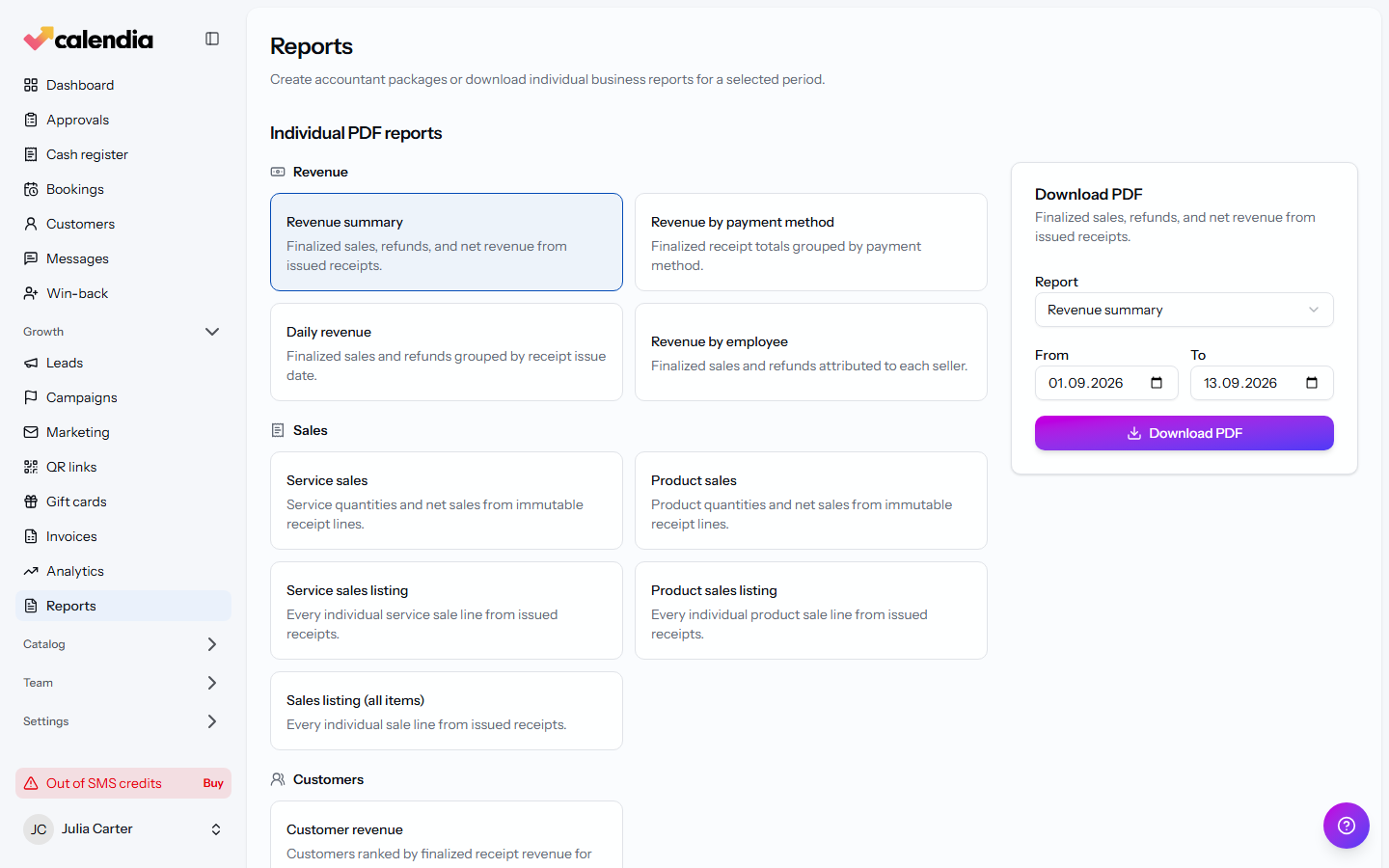
- Still on Reports, scroll to Accountant package and set the Package period.
- Optionally check Include audit trail.
- Click Generate package.
The package includes Receipt PDFs, an Accounting workbook and overview, and Stored Z reports and reconciliations.
Share or manage a package
Once a package status reaches Ready under Package history:
- Click Download package to save it yourself.
- Click Email secure link, enter the Recipient email, and click Send secure link to let someone else download it without an account.
- Click Revoke link to disable a link you've already sent.
A package eventually expires; generate a new one if you need the same period again after that.
Related articles
Analytics overview
See how your business is performing at a glance — bookings, revenue, top services and providers, and where leads are coming from.
Invoices
Bill a customer or a billing account directly, record payments against an invoice, and issue a credit note when something needs correcting.
Open and close the cash register
Open the register before your first sale of the day, run an X report whenever you need a snapshot, and close with a daily settlement so your Z report and cash count line up.