Subscription and billing
Choose how you're billed, start your subscription, track usage-based charges, and manage invoices and payment methods.
Your workspace starts on a free trial. Here's how billing works once you're ready to subscribe, and how to keep track of what you're being charged for.
Choose your billing model
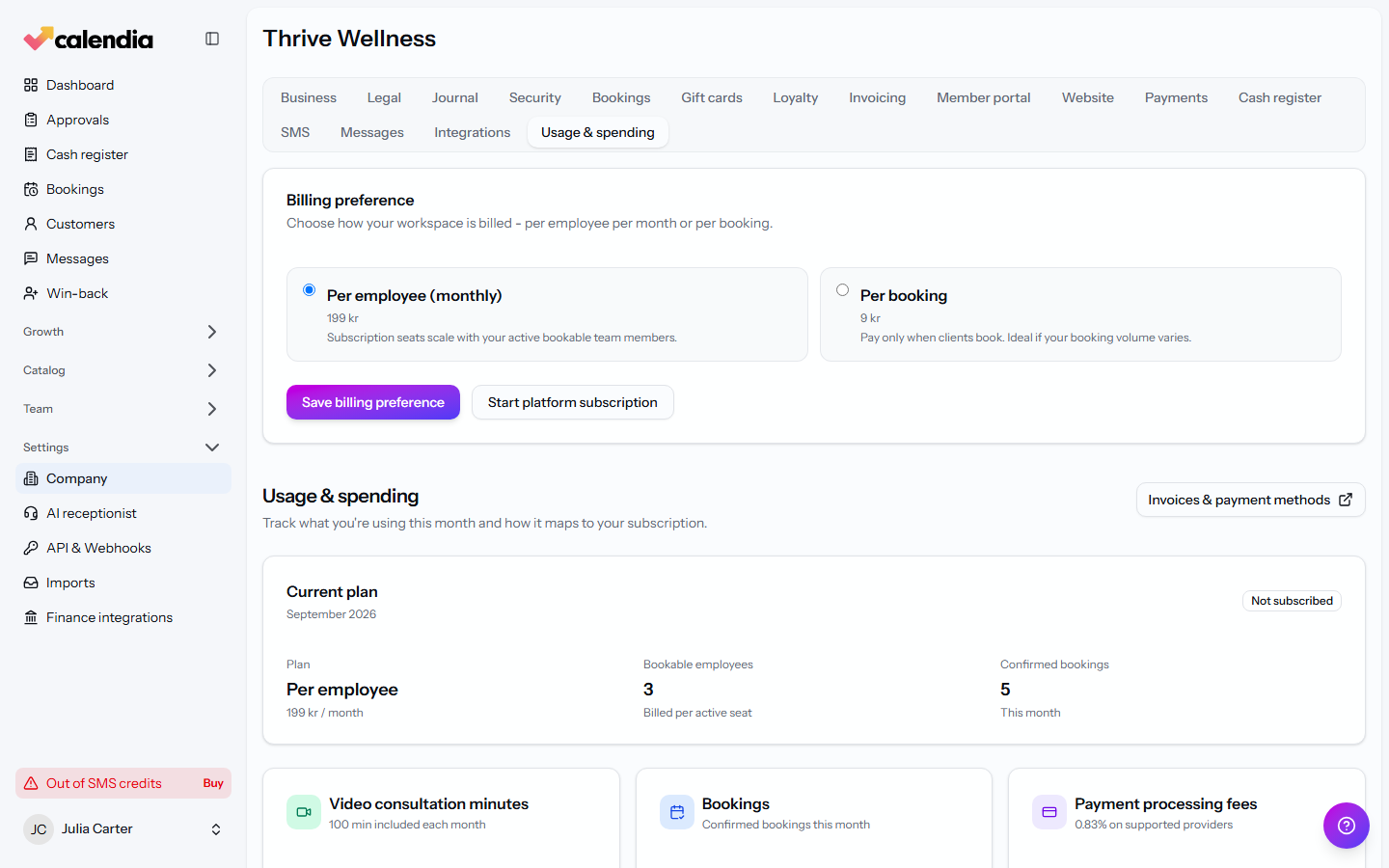
- Go to Company settings and open the Usage & spending tab.
- Under Billing preference, choose Per employee (monthly) — a flat subscription seat for each active bookable team member — or Per booking — pay only for confirmed bookings, which suits businesses with variable volume.
- Click Save billing preference.
Start your subscription
While your trial is active, a banner shows how many days remain. Once you're ready — or once the trial ends — click Start platform subscription to add a payment method and begin billing under your chosen plan.
Manage invoices, payment method, or cancel
After you're subscribed, click Manage billing in Stripe on the same Usage & spending tab. This opens Stripe's billing portal, where you can download invoices, update your card, or cancel your subscription.
Track usage-based charges
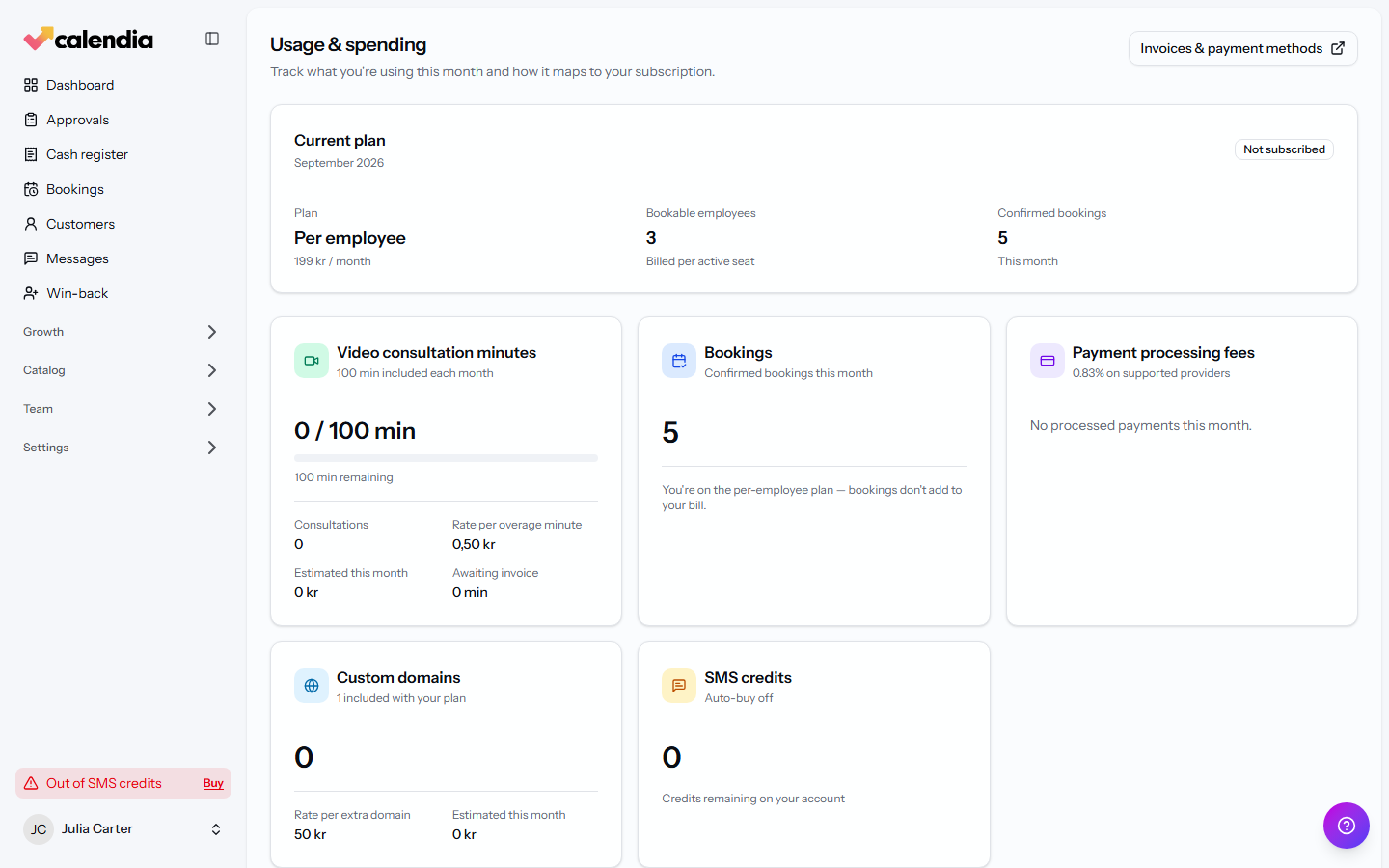
Some features are billed by usage on top of your plan — for example video consultation minutes, per-booking fees, payment processing, identity verifications, custom domains, and SMS credits. Open Usage & spending to see:
- Your Current plan, bookable employee count, and confirmed bookings this month.
- A breakdown of each usage-based item, its rate, and what's estimated for the current month.
- A Recent months table so you can compare spending over time.
Add-ons
Some optional features, such as national eID identity verification, are billed as separate add-ons — usually a monthly fee plus usage. Turning one off keeps your configuration in place, so you can turn it back on later without reconfiguring it.
Frequently asked questions
What happens to my data if I cancel?
Cancelling stops billing going forward. Speak with support if you have questions about your specific data retention needs before cancelling.
Can staff see billing information?
Admins and Accountants can view the Usage & spending tab by default (this can be adjusted per person in Roles and permissions), but only workspace owners can change the billing preference or manage the subscription in Stripe.