Booking statuses and check-in
Understand what each booking status means, where bookings that need attention collect, and what to do when a customer arrives.
Every appointment carries a status so you and your team always know what happened, and what still needs doing.
Statuses at a glance
- Confirmed — the normal state for a booking on your calendar. Bookings you create yourself start out Confirmed.
- Scheduled — a booking that hasn't been fully confirmed yet, or is still waiting on payment. These collect on the Needs action tab so nothing slips through.
- Completed — the service was delivered.
- Cancelled — the booking was called off, with an optional reason and cancellation fee.
- No-show — the customer didn't arrive, with an optional reason and no-show fee.
- Voided — a booking that shouldn't have existed at all; see Move, edit or cancel a booking.
Find what needs attention
Bookings in the sidebar groups every appointment into four tabs:
- Today
- Needs action — Scheduled bookings and anything with an unpaid balance
- All upcoming
- History
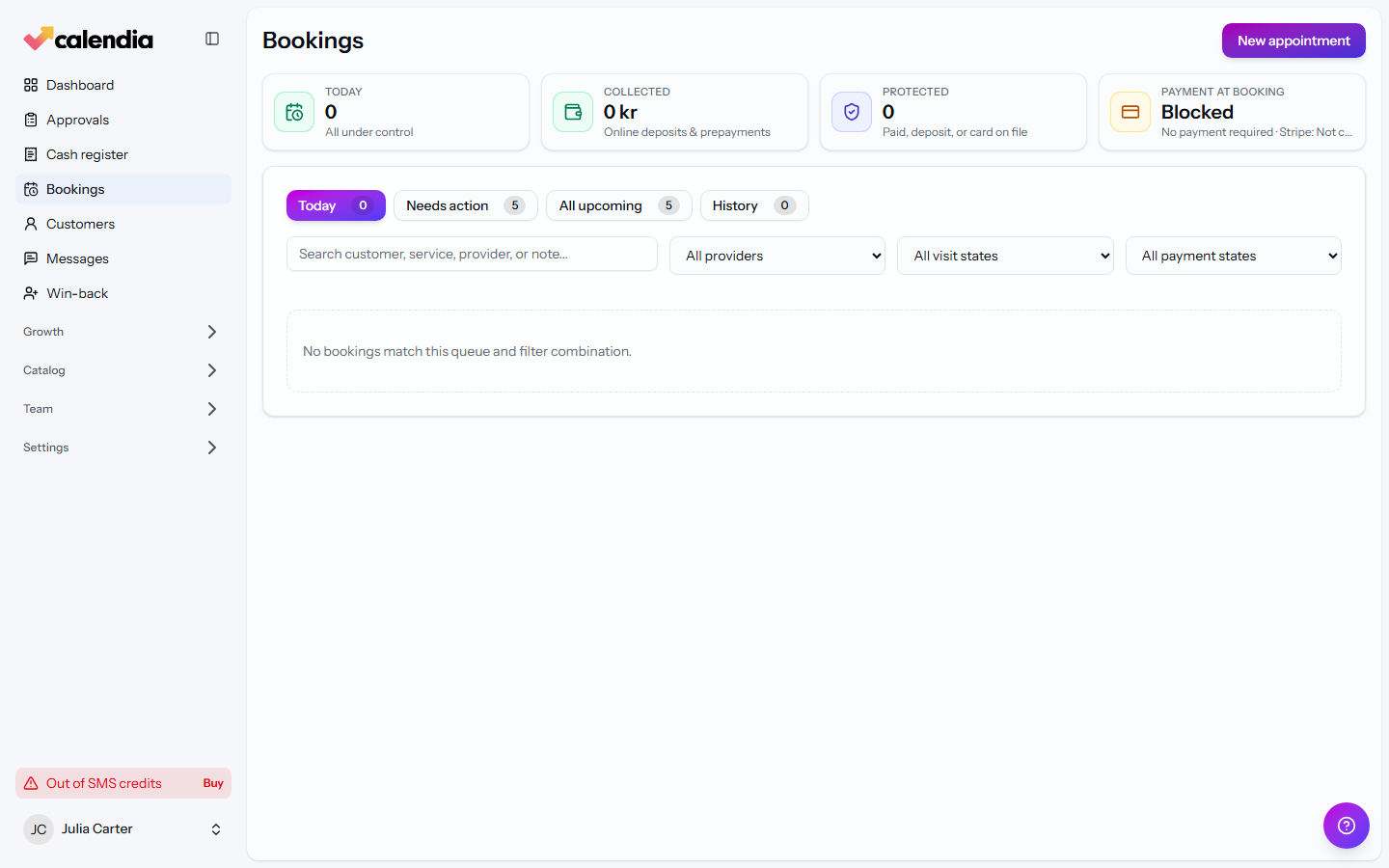
Start your day on Needs action to catch anything that still needs a decision before it's overtaken by the calendar.
When a customer arrives
Calendia doesn't have a separate "check-in" step — instead, open the appointment when the customer arrives and use whichever action fits:
- If they're paying now, click Checkout to take payment for the visit.
- Once the service is finished (and paid, if applicable), click Complete to close it out.
- If they don't show up or cancel on the spot, use No-show or Cancelled instead — see Move, edit or cancel a booking for the full steps.
Related articles
Create a booking
Add an appointment to the calendar from the Dashboard for a fast walk-in booking, or from Bookings for a full booking with recurrence.
Move, edit or cancel a booking
Reschedule a booking by dragging it or through the Move booking dialog, change its details, or cancel it and record a reason.
Reminders and notifications
Confirm bookings by SMS, remind customers before their appointment, and nudge them to book again once a treatment wears off.