Change language and appearance
Switch Calendia's interface language, light or dark mode, and dashboard color theme to match how you like to work.
Calendia adapts to how you like to work, not just what your business sells. These settings are personal to you — changing them doesn't affect your teammates.
Change your language
- Click your name near the bottom of the sidebar to open your account menu.
- Open the Language submenu.
- Choose from the 12 supported languages: English, Español, Français, Deutsch, Português, Italiano, Русский, Українська, Norsk, Svenska, Suomi, or Dansk.
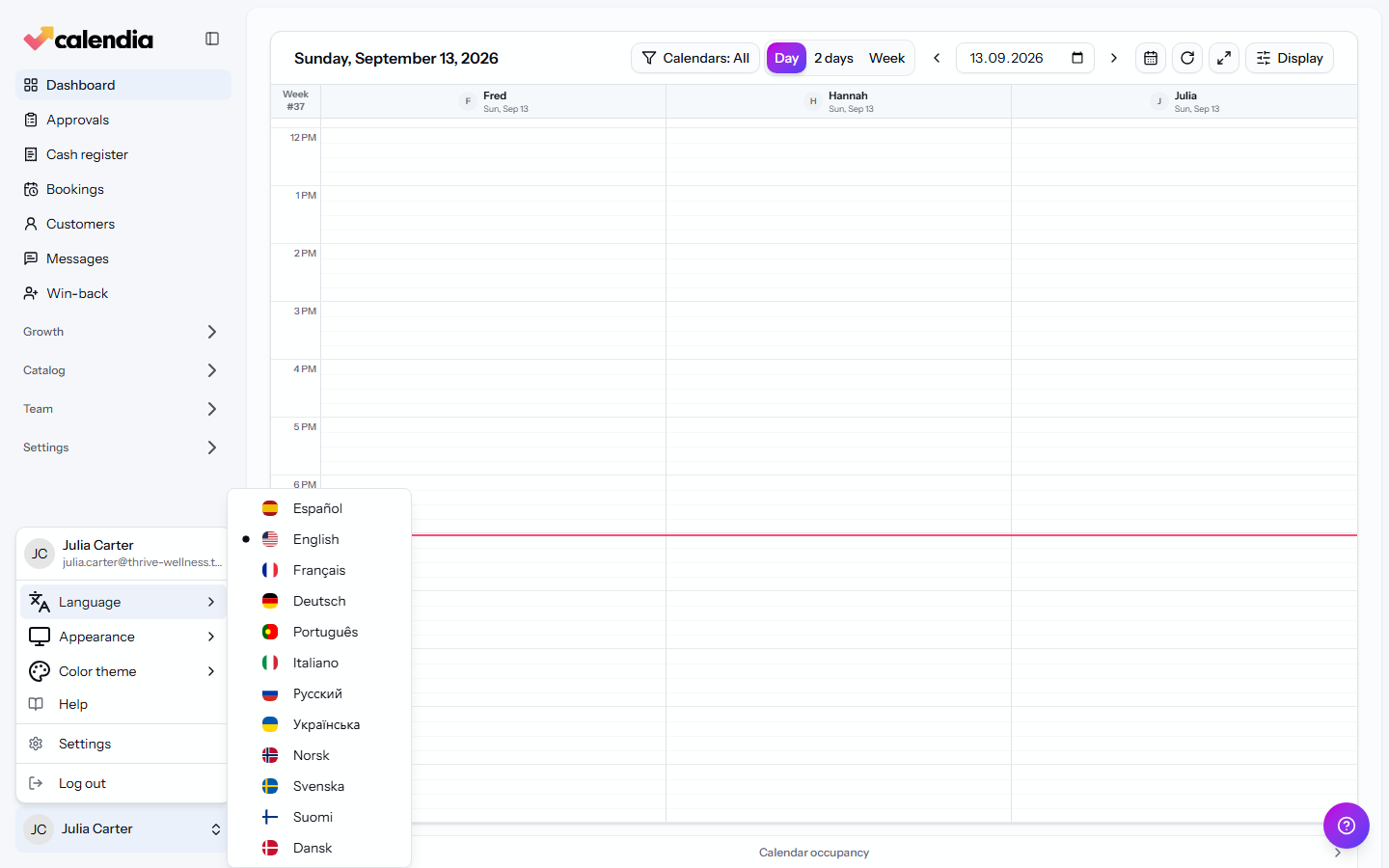
The interface switches immediately — no page reload needed.
Switch light, dark, or system appearance
- From the same account menu, open Appearance.
- Choose Light, Dark, or System to follow your device's setting.
You can also manage this from Appearance settings if you prefer a dedicated page.
Pick a dashboard color theme
Open Color theme in the account menu to choose one of eight accent presets — Default, Blue, Teal, Emerald, Gold, Orange, Pink, or Violet — that colors your calendar and dashboard.
Update your name, email, or password
Your profile details live in Settings rather than the account menu:
- Open Settings from the account menu.
- Under Profile, update your Name and Email address.
- Under Password, enter your Current password and a New password, then click Save password.
Frequently asked questions
Does changing my language translate customer-facing messages too?
Calendia's built-in booking confirmations and reminder templates follow the customer's booking language. Custom text saved for the business or a service is a single override and is sent exactly as written; it is not translated automatically. A multilingual business should keep the localized defaults unless the same custom wording is suitable for all customers. Use Restore default to remove a business override.