Share your online booking page
Find your public booking link, embed a booking widget on your own website, and generate a trackable QR code to share it.
Every Calendia workspace gets a public booking page customers can use to book themselves in. This article shows you where to find it and the different ways to share it.
Find your booking link
- Go to Company settings and open the Business tab.
- Under Booking slug, your public booking page address is shown as a link — for example
https://calendia.no/b/your-business. - Click it to open the page in a new tab and check it looks right before sharing it.
Share this link directly in emails, social media bios, or text messages.
Embed a booking widget on your own website
If you already have a website, embed the booking flow directly on it instead of sending visitors elsewhere.
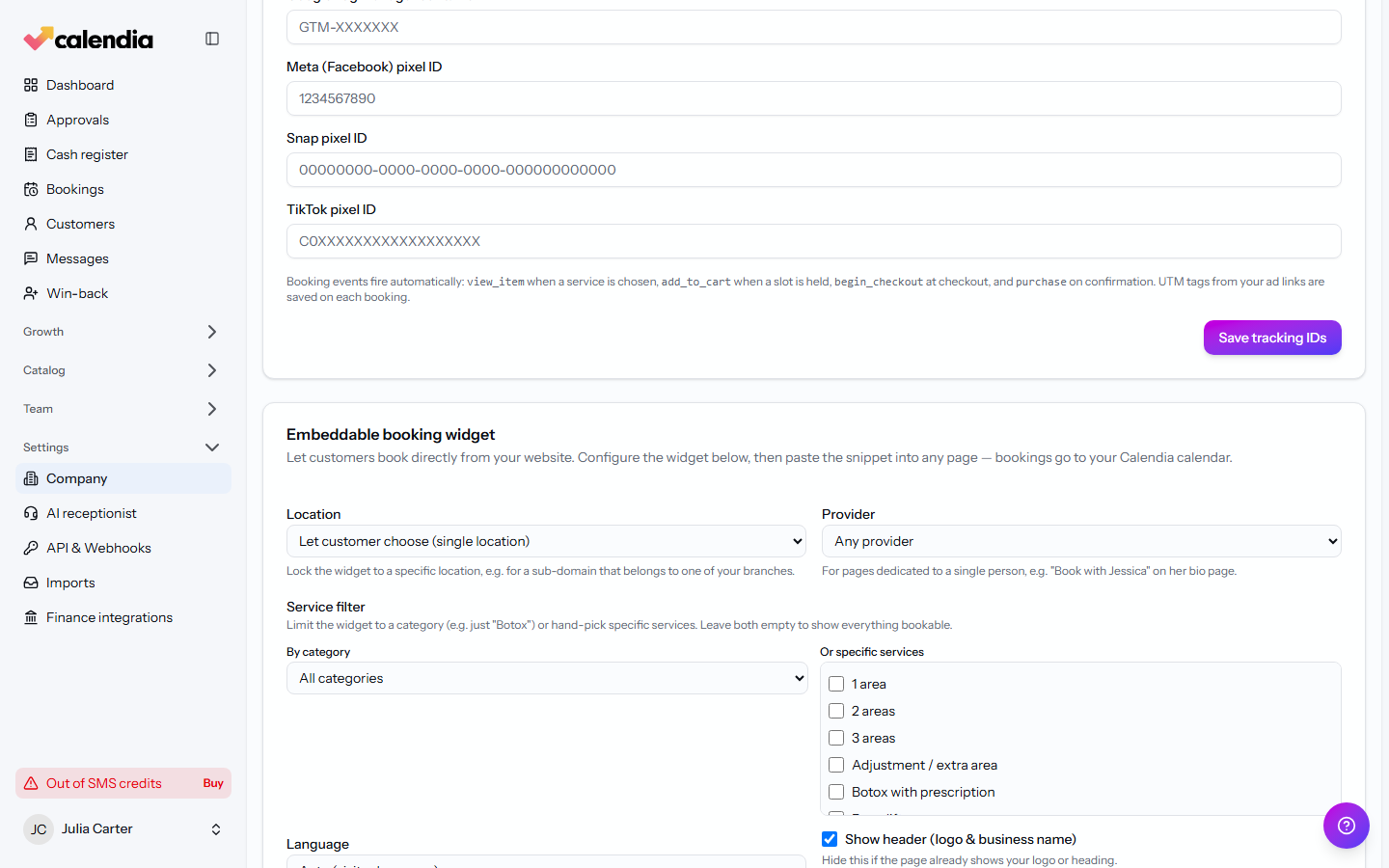
- In Company settings, open the Bookings tab and scroll to Embeddable booking widget.
- Optionally lock the widget to one Location or Provider, or limit it to a category or hand-picked services.
- Choose a Language, accent color, and button style.
- Copy the generated snippet under Your snippet using the Copy snippet button, and paste it into your website's HTML.
- Under Allowed origins, list the website addresses allowed to load the widget — one per line — then save.
The widget uses the same required customer details configured under Bookings → Customer details, including email, mobile number, address, date of birth and social security number.
Generate a QR code
QR codes are a quick way to share your booking page on printed materials like flyers, receipts, or a countertop sign.
- Go to QR links.
- Paste your booking page address into Destination URL, and give it an optional Label so you recognize it later.
- Click Create QR link. Calendia tracks scans and clicks on the resulting code.
Use a custom domain
Want your booking page on your own domain instead of a calendia.no address? See Custom domain for the DNS steps.
Build a full website
Beyond the widget, Calendia can also host a complete public website for your business — services, team, and a lead-capture form included. See Your Calendia website to set one up.
Related articles
Set up your business profile
Add your workspace name, branding, currency, timezone, and legal details so bookings and receipts show the right information.
Use a custom domain
Serve your booking page or website from your own domain, such as www.yoursalon.com, instead of a Calendia address.
Your Calendia website
Build your public homepage from ready-made templates and drag-and-drop sections, preview it on desktop and phone, and publish when it's ready.