Gift cards
Issue a digital or physical gift card, redeem one at the register, and control whether customers can buy them online.
Gift cards can be sold for a fixed amount or for a specific service, sent by email or SMS, and redeemed later as a payment method at the register.
Issue a gift card
- Open Gift cards from Growth in the sidebar.
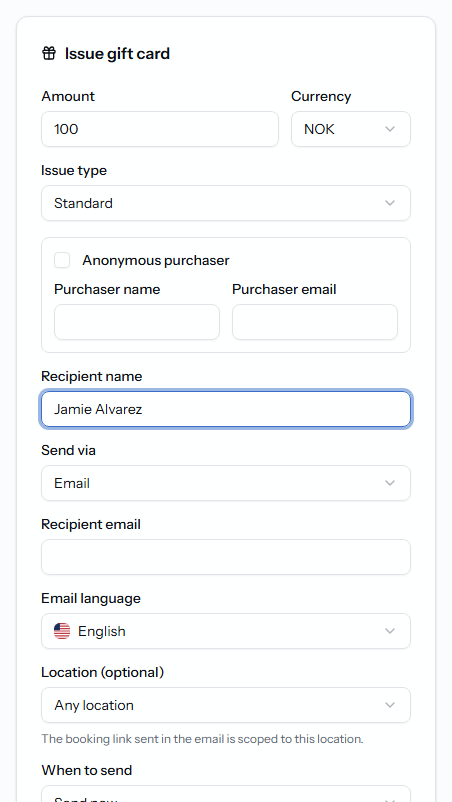
- Use the Issue gift card form at the top of the page.
- Choose Gift an amount or Gift a service, then fill in the amount (or service) and currency.
- Optionally set the Issue type (Standard, Sponsorship, or Complimentary) and an internal reason.
- Add the recipient's details, choose Send via — Email, SMS, or Email + SMS — and pick When to send: Send now, Schedule for later, or Do not send yet.
- Click Create gift card.
Every issued card appears under Active cards with its Code ending suffix, status, and remaining balance.
Redeem a gift card
At checkout in the cash register, choose Gift card as the payment method, then enter the Gift card code (and PIN, if it has one). The balance is deducted automatically, and the sale still needs another payment method if the balance doesn't cover the full amount.
Check a balance
Open Gift cards and find the card by recipient name or code — its remaining balance is shown on its row.
Refund a gift card purchase
Find the original gift card sale in Receipt history and refund that payment; the gift card is handled as part of the normal refund flow, not edited directly.
Sell gift cards online and print physical cards
In Company settings:
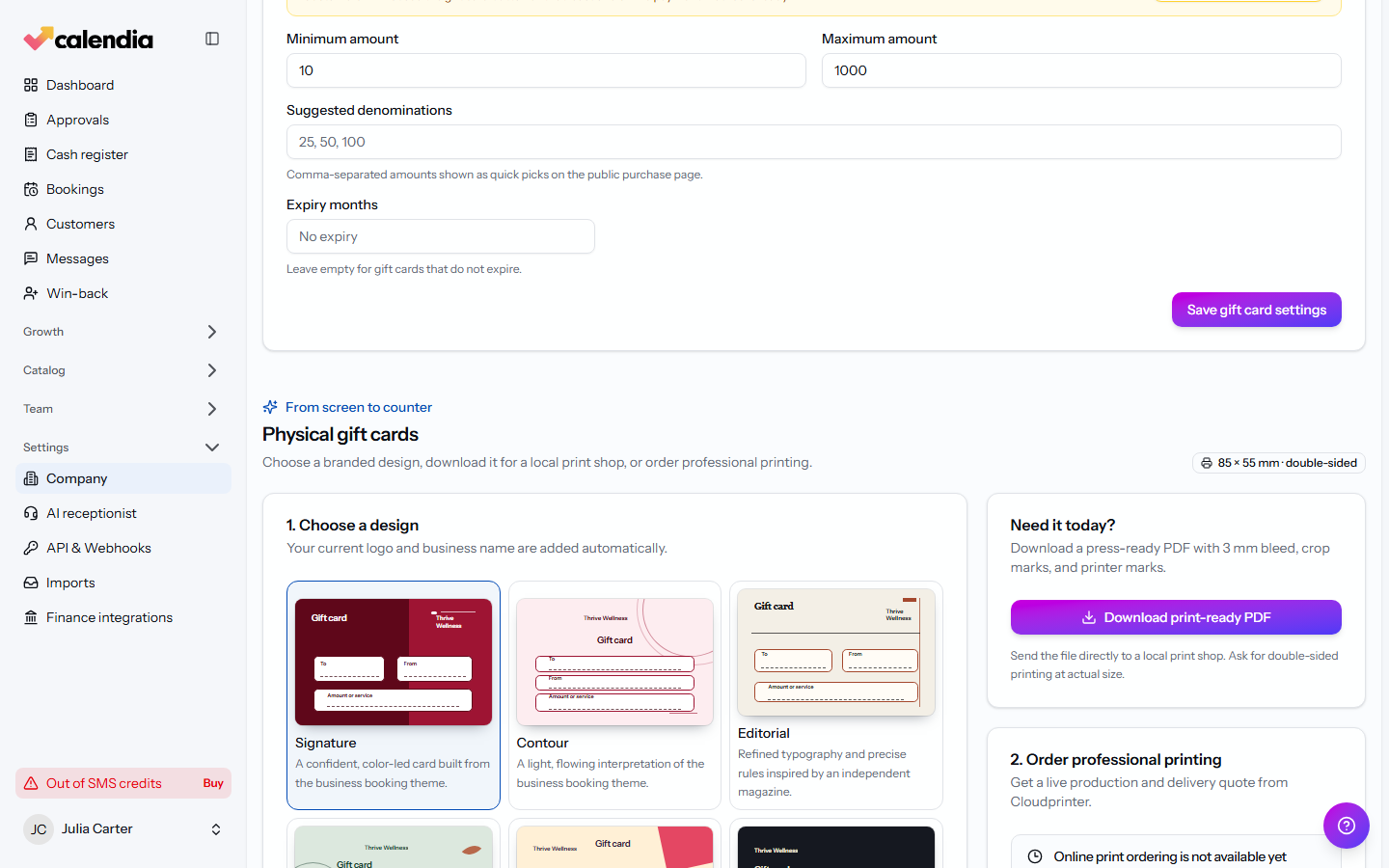
- Turn on Sell gift cards on the public booking page to let customers buy gift cards themselves.
- Set an expiry under gift card settings, or leave it blank for cards that never expire.
- Under Physical gift cards, click Download print-ready PDF to print cards yourself, or use Get print quote and Pay and send to print to have physical cards professionally printed and shipped.
Related articles
Sell services and products
Build a sale in the register workspace — add services or products, attach a customer, apply a discount, and take payment.
Payment methods and terminals
Take cash, card, gift card, or invoice payments at the register, connect a card terminal, and know what to do when a terminal payment fails.
Receipts and refunds
Print or email a receipt, find any past sale in the receipt archive, and issue a refund without ever editing the original document.