Tips
Turn on tipping, decide who a tip belongs to, and pay out the shared tip jar.
Tips are recorded on top of the sale, never as part of it, so they're always reported separately from your service and product revenue.
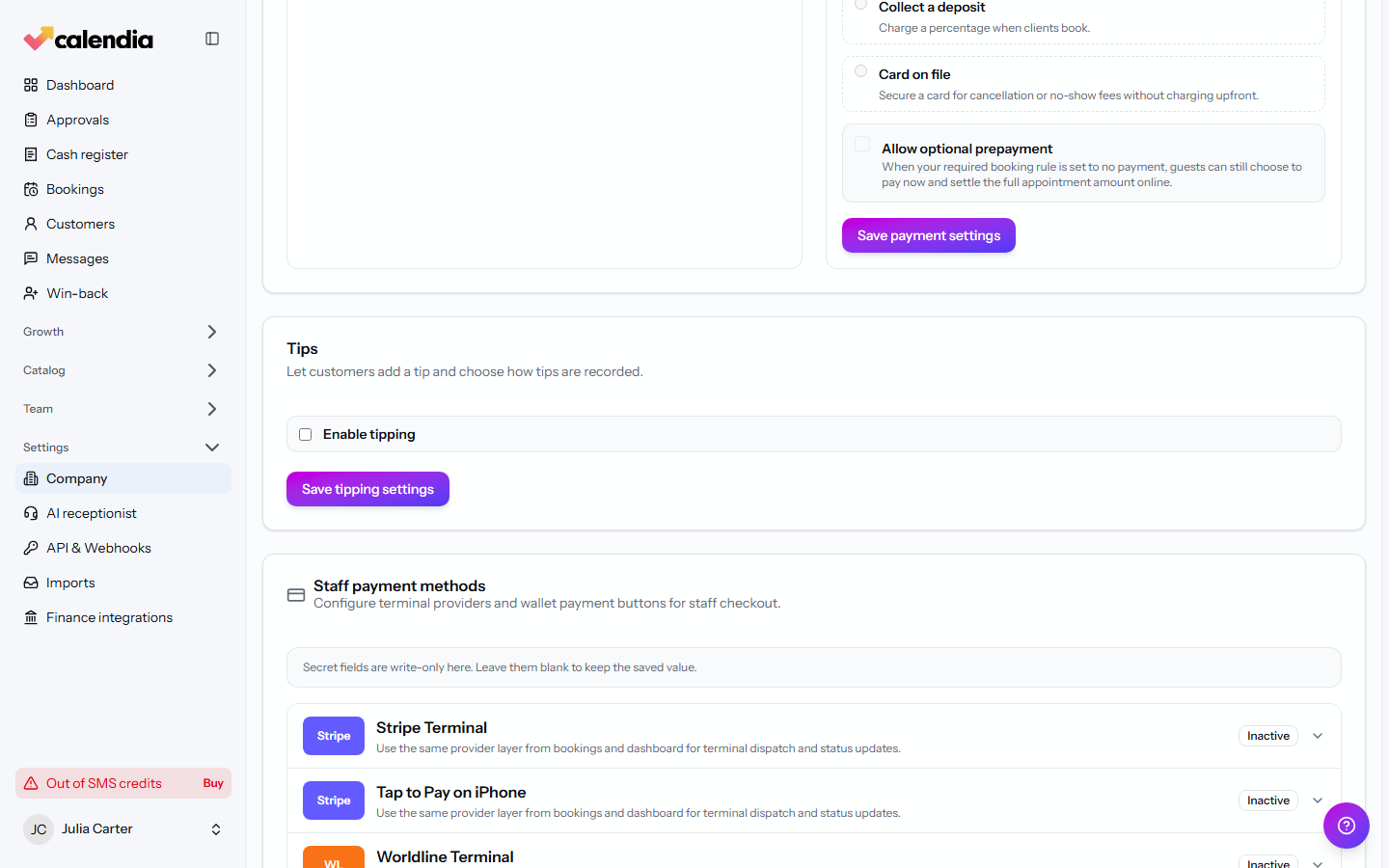
Turn on tipping
- Open Company settings and go to the Payments tab.
- In the tips card, check Enable tipping.
- Optionally set Suggested tip percentages — shown on the card terminal when it asks the customer for a tip.
- Under Where tips apply, choose Point of sale, Bookings, or both.
- Click Save tipping settings.
Decide who a tip belongs to
Under How tips are attributed, choose the default for new tips:
- The serving employee — the tip goes to whoever delivered the service or rang up the sale.
- Shared tip jar — tips are pooled and split later. Choose whether the jar is pooled per Whole business or Per location, and how it's split: Split equally, By sales volume, or Manual allocation.
An individual sale can still override this default when the tip is taken.
How a tip is captured
- A card terminal that supports tipping prompts the customer directly and adds the tip on top of the service price.
- A cash tip can be recorded manually against the sale so payouts and reports stay accurate.
Review and pay out tips
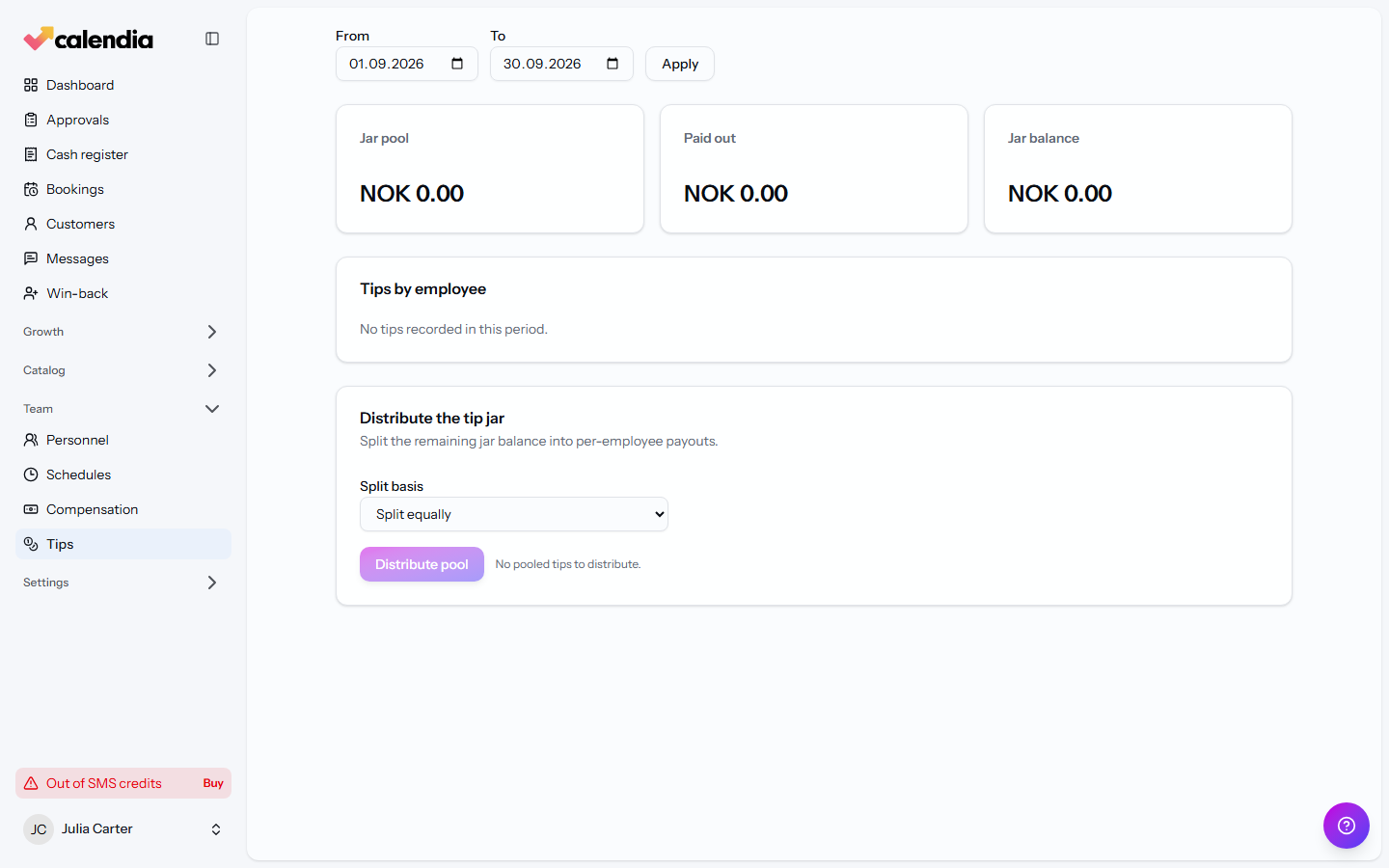
Open Tips to see totals for a date range and location.
- The header shows Jar pool, Paid out, and Jar balance.
- Tips by employee lists each person's Direct tips, Jar payout, and Total.
- To split the pool, go to Distribute the tip jar, choose a Split basis, and click Distribute pool.
- Once a payout has actually been paid to the employee, find it under Payout history and click Mark paid.
Related articles
Sell services and products
Build a sale in the register workspace — add services or products, attach a customer, apply a discount, and take payment.
Payment methods and terminals
Take cash, card, gift card, or invoice payments at the register, connect a card terminal, and know what to do when a terminal payment fails.
Compensation and payroll reports
Set salary and commission rules, adjust an individual's prices, and run a payroll calculation.