Sell services and products
Build a sale in the register workspace — add services or products, attach a customer, apply a discount, and take payment.
The register workspace is where you ring up everything from a walk-in retail sale to checking out a finished appointment. This article covers building the sale; see Payment methods and terminals for taking the payment itself.
Add items to the sale
- Open Cash register from the sidebar.
- Pick a tab above the item list: Products, Services, Service packages, Custom charge, or Gift card.
- Click a service or product to add it as a line. Click it again to add another line for the same item.
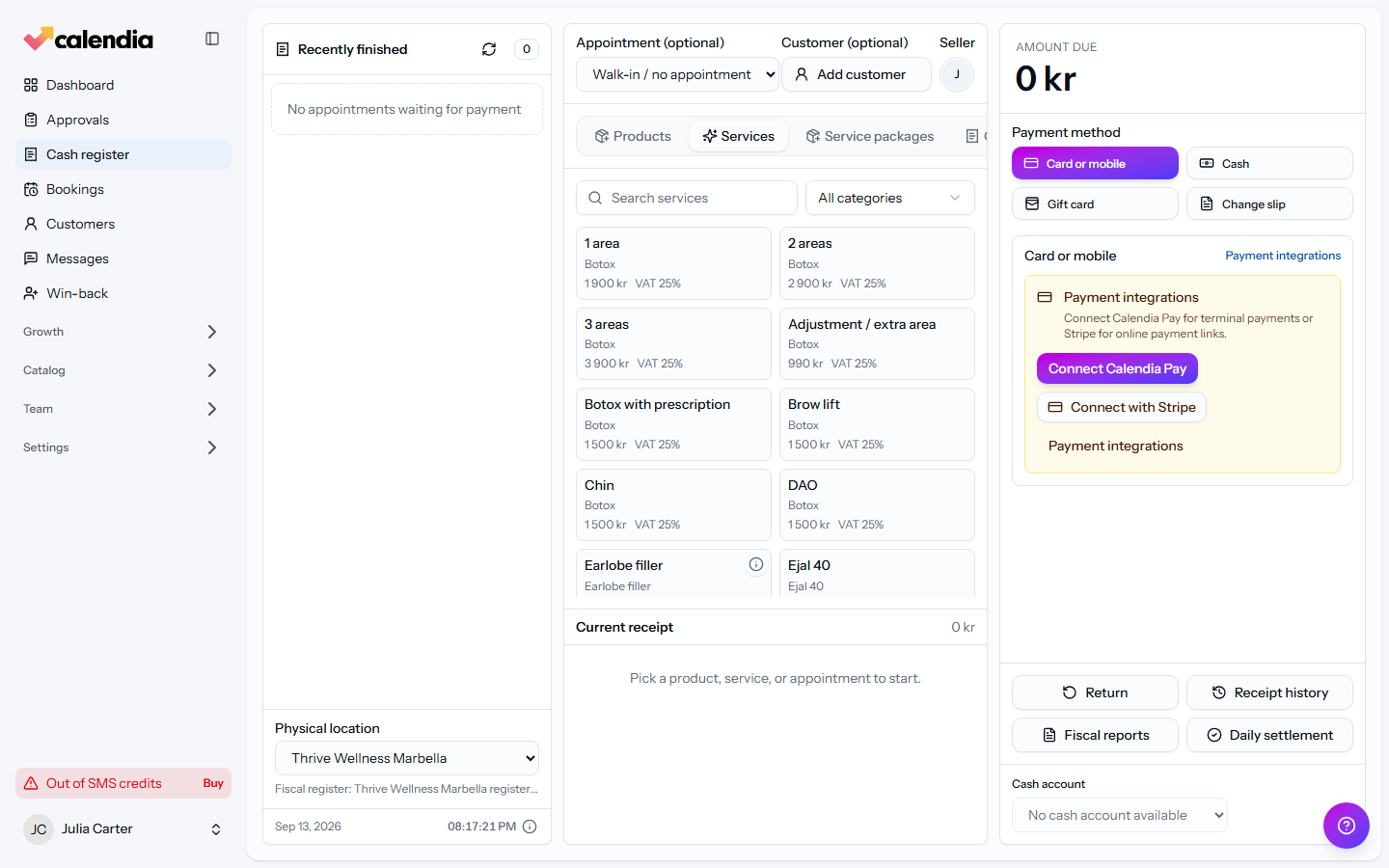
For anything that isn't in your catalog — a one-off item, a small adjustment — use Custom charge: enter a Description, an Amount, and the VAT %, then click Add.
Each line shows a trash icon to Remove it while the sale is still open.
Check out an appointment
Selecting an appointment brings its services into the sale automatically, along with its customer.
- Under the appointment field, choose the booking instead of Walk-in / no appointment.
- If the appointment was already paid (for example, from a service package), Calendia tells you and only lets you add extra items on top.
Attach a customer
For a walk-in sale with no appointment, click Add customer and search for them. This isn't required — you can complete a sale as a walk-in — but it's what links the sale to their purchase history and, where enabled, loyalty rewards.
Apply a discount
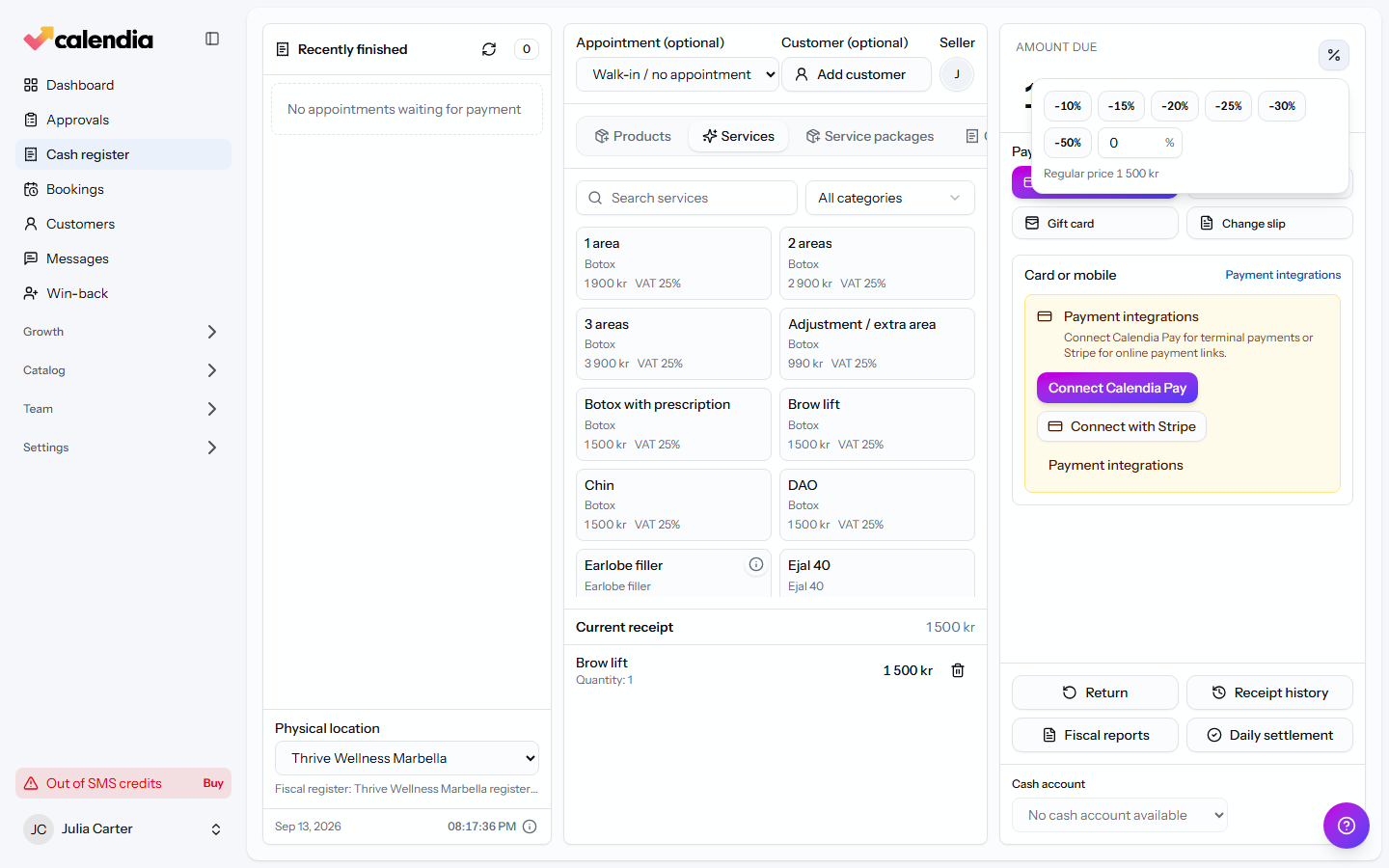
- Per line: click the percent icon next to a line to open the discount picker, choose a percentage, or click Clear to remove it.
- On the whole sale: the discount you apply to the total is shown as its own Discount line above VAT, and is spread proportionally across every discountable line — VAT is recalculated from the discounted amount, not the original price.
Take payment
Once the sale total is right, move on to Payment methods and terminals to collect payment. When the payment covers the Amount due, the sale is finalized and you can print or email the receipt — see Receipts and refunds.
Related articles
Open and close the cash register
Open the register before your first sale of the day, run an X report whenever you need a snapshot, and close with a daily settlement so your Z report and cash count line up.
Payment methods and terminals
Take cash, card, gift card, or invoice payments at the register, connect a card terminal, and know what to do when a terminal payment fails.
Receipts and refunds
Print or email a receipt, find any past sale in the receipt archive, and issue a refund without ever editing the original document.